
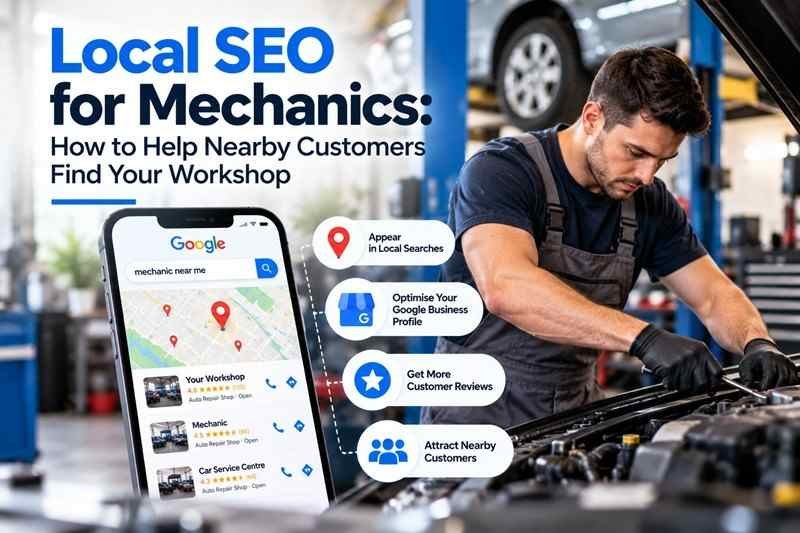
When a driver needs a car service, brake repairs or help with a warning light, they need to know which nearby workshop can help.
Your business might offer the right service, but potential customers still need to find you, understand what you do and feel confident enough to make contact.
Local search engine optimisation, or local SEO, helps you improve that journey. It brings together your Google Business Profile, website, customer reviews and business information so nearby drivers can discover and assess your workshop.
For mechanics, the goal is more than website traffic. It is relevant enquiries about services your team actually delivers.
How Does Local SEO Work for Mechanics?
Local searches can produce different types of results, including Google Maps listings and links to workshop websites.
Someone searching for "mechanic near me" may compare nearby businesses in Maps. Someone searching for a specific repair may visit a service page to understand whether a workshop handles that work.
Google explains that local results mainly depend on three factors:
- Relevance: How closely a business matches the search.
- Distance: How far the business is from the searcher.
- Prominence: How well known the business is, including information such as links and reviews.
You cannot control a driver's location or guarantee a particular ranking. You can improve how accurately your business is represented and how useful its information is.
1. Start With an Accurate Google Business Profile
Your Google Business Profile may be the first information a customer sees about your workshop.
Claim or obtain access to the correct profile, complete verification when required and check the details carefully.
Review:
- Your real-world business name.
- The workshop address and map pin.
- Your phone number and website.
- Regular opening hours and public holiday changes.
- Business categories and services.
- Any available appointment or booking links.
Use the name customers recognise from your signage and branding. Adding phrases such as "best cheap mechanic near me" to the business name can breach Google's guidelines.
Choose the most accurate primary category available in your profile. Add secondary categories only when they describe genuine parts of your business; category names and availability can vary.
A workshop customers visit should show its real location. A mobile mechanic needs settings that accurately reflect how it visits customers. Do not create extra profiles for suburbs where you have no eligible business location.
Add photos that help customers recognise your workshop
Use current photographs of your entrance, signage, workshop and customer facilities.
A clear entrance photo can help someone approaching an industrial estate identify the correct driveway. If you publish images of staff or customers' vehicles, obtain appropriate permission and avoid exposing personal information.
2. Match Your Website to the Services People Need
Start with the work your workshop wants and is equipped to handle.
Depending on your business, relevant service topics might include:
- Logbook servicing.
- Brake repairs.
- Clutch repairs.
- Engine diagnostics.
- Car air conditioning servicing.
- Battery testing and replacement.
- General mechanical repairs.
Combine these services with your genuine location when researching search terms. For example, "brake repairs in Penrith" expresses a clearer service need than a broad phrase such as "automotive business".
These are examples, rather than verified keyword opportunities for every workshop. Use your customer enquiries and Google Search Console data to understand the wording relevant to your business.
Only target services and availability you can support. Do not advertise emergency repairs, same-day servicing or particular inspections unless you actually offer them and meet applicable requirements.
Use location wording naturally
A service page title could follow this structure:
Brake Repairs in [Suburb] | [Workshop Name]
The heading and body should then explain the service clearly. Repeating "mechanic near me" throughout a page makes the writing awkward and does little to help customers assess your workshop.
3. Give Your Main Services Useful Pages
A short list of services on your homepage may leave customers with unanswered questions.
Dedicated pages can help when each service needs its own explanation. You do not need a separate page for every minor task.
For example, a useful brake repair page could explain:
- The types of brake work your workshop performs.
- What customers can expect when booking an inspection.
- How findings and repair recommendations are communicated.
- Where the workshop is located.
- How to request an appointment.
Use actual details about your process rather than generic paragraphs that could describe any mechanic.
Include relevant qualifications, experience or accreditations only when they are accurate and current. Explain pricing clearly where you publish it, including what an advertised service includes.
Link these pages from your main navigation or service overview so visitors can find them easily.
4. Avoid Creating Dozens of Repetitive Suburb Pages
A workshop may attract customers from several neighbouring suburbs. That does not automatically mean it needs a separate page for each one.
Start with a useful location or contact page containing your actual address, opening hours, directions, access and parking information.
Create additional area pages only where you can provide distinct information that helps customers. Make the workshop's real location clear; do not imply you have premises in every suburb you mention.
For example, explaining how customers from a neighbouring area can reach your workshop may be useful. Copying one page repeatedly and replacing the suburb name is unlikely to add much value.
Google identifies pages created to rank for similar searches and funnel visitors to the same destination as a form of doorway abuse.
5. Ask for Honest Customer Reviews
Reviews help prospective customers understand other people's experiences with your workshop.
Build a straightforward process for inviting feedback after completed work. You could provide your Google review link on a receipt, display a QR code or send an appropriate follow-up message.
Keep the request neutral:
"Thank you for choosing our workshop. If you would like to share your experience, you can leave an honest Google review here."
Avoid:
- Offering discounts or gifts in exchange for reviews.
- Asking only customers expected to leave positive feedback.
- Requesting a particular star rating or wording.
- Buying reviews or arranging reviews from people without genuine experience.
Google prohibits incentivised reviews and selectively soliciting positive feedback.
Respond professionally to feedback. If a complaint involves personal details or a disputed repair, invite the customer to discuss it privately rather than publishing their information.
6. Make It Easy to Call or Request a Booking
Visibility helps people find your workshop. Your website then needs to help them take the next step.
Check the site on a mobile phone. Can a visitor quickly see:
- What services you provide?
- Where the workshop is?
- When you are open?
- How to call?
- How to request a booking?
Use a working tap-to-call link and a clearly labelled booking button.
Keep an initial booking request manageable. Ask for information your team needs to respond, such as contact details, vehicle details, the requested service and a preferred date.
Make it clear whether submitting the form confirms an appointment or simply requests one. If your team must check availability, explain that the booking is subject to confirmation.
Test the form regularly. A confirmation screen is not enough if the request never reaches your workshop.
Also Read: SEO vs Google Ads: Which Should Your Small Business Start With?
7. Check the Website's Technical Basics
Your website should be accessible to customers and search engines.
Ask your developer or SEO specialist to check that:
- Important pages load successfully.
- Service pages are available for indexing.
- Navigation and internal links work.
- Each main page has a descriptive title.
- Images are appropriately sized.
- Mobile layouts remain usable.
- Old page addresses redirect to relevant replacements when needed.
- Your sitemap contains the pages you want discovered.
These foundations help Google discover and understand your content, although they do not guarantee indexing or rankings.
Your developer can also consider suitable local business structured data. This is code that describes business details such as your address and opening hours. It should match the information visitors can see and is not a guaranteed ranking boost or search enhancement.
8. Keep Business Listings Reliable
Check important directory listings, industry memberships and other websites that describe your workshop.
Prioritise correcting:
- Old addresses.
- Disconnected phone numbers.
- Incorrect website links.
- Duplicate or outdated business listings.
- Claims about services you no longer offer.
The aim is accurate, recognisable information. Minor formatting differences such as "Street" and "St" are less useful to focus on than a phone number that sends customers to the wrong business.
Look for relevant local or automotive organisations where your workshop genuinely belongs. Avoid buying large packages of unrelated directory listings or links.
9. Measure Enquiries and Bookings, Not Just Rankings
A ranking report cannot tell you whether your workshop is receiving suitable work.
Review the whole journey:
| Measure | What it helps you understand |
|---|---|
| Relevant searches in Search Console | Which searches bring visibility and website visits |
| Visits to service pages | Which services attract attention |
| Business Profile interactions | How people engage with your listing |
| Completed booking requests | Whether visitors submit enquiries |
| Confirmed appointments | Whether enquiries become booked work |
| Enquiries about unavailable services | Whether your information needs clarification |
Google Business Profile reports some interactions, including website clicks, direction requests and call-button clicks. A call-button click does not prove that a call connected or became a booking.
Compare online activity with your actual booking records. If enquiries rise but confirmed appointments do not, check availability, missed calls and response times before assuming you need more traffic.
What Should a Workshop Prioritise First?
If you are starting local SEO, use this practical order:
- Correct your Google Business Profile: Fix business details, categories, hours and links.
- Make contact and booking work: Test the mobile experience, phone links and forms.
- Improve your main service pages: Explain the work you offer and your actual location.
- Introduce a consistent review process: Invite honest feedback without incentives or filtering.
- Measure results and resolve technical problems: Connect visibility and enquiry data with real workshop bookings.
This is a suggested starting order, rather than a universal ranking formula. A broken website or inaccessible Business Profile may need immediate attention before anything else.
Frequently Asked Questions
How much should a mechanic pay for local SEO?
There is no single suitable price for every workshop. The scope depends on your website's condition, local competition, number of locations and the work included.
Ask for a proposal that explains the initial fixes, ongoing activities, reporting and ownership of your accounts. Compare the deliverables rather than choosing solely by price or promised rankings.
What is the best first step for local SEO?
Start by checking whether customers can find accurate business information and contact your workshop successfully. An accurate Business Profile and a usable website provide a practical foundation.
How can I get more customers into my mechanic shop?
Focus on being discoverable for services you actually provide, giving customers useful reasons to consider your workshop and responding reliably to enquiries. Local SEO supports discovery, while service quality and follow-up help turn enquiries into lasting customer relationships.
How long does local SEO take?
There is no fixed timeframe. Google notes that search changes can take anything from hours to several months to be reflected. Results also depend on competition, your starting position and the changes made.
Help Nearby Drivers Find Your Workshop
W&S Digital Marketing helps automotive businesses improve local visibility, present their services clearly and make online enquiries easier.
Whether your workshop needs clearer service pages, Google Business Profile improvements or a review of its booking journey, we can help identify practical next steps. Explore our automotive digital marketing services or get in touch to talk about your workshop.