
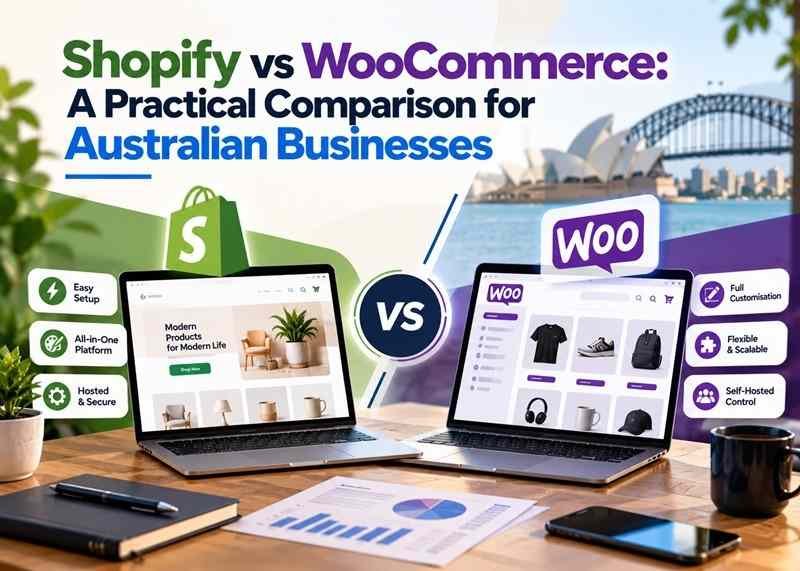
Choosing an ecommerce platform affects more than how your online store looks. It influences how you manage products, accept payments, organise shipping and maintain the website after launch.
Shopify is worth considering when you want a hosted commerce platform with fewer infrastructure responsibilities. WooCommerce is worth considering when you want a store built around WordPress, greater implementation flexibility and control over hosting.
Both can support an Australian business. The better choice depends on your products, operating requirements, budget and access to ongoing technical support.
Before comparing themes or subscription prices, work out what your store needs to do.
Shopify vs WooCommerce at a Glance
| Consideration | Shopify | WooCommerce |
|---|---|---|
| Platform model | Hosted ecommerce platform | Open-source ecommerce software for WordPress |
| Hosting | Included with the platform subscription | Arranged separately, including through managed providers |
| Core software cost | Paid subscription | Core WooCommerce software is free |
| Additional costs | Apps, themes, development, payment processing and other services | Hosting, extensions, themes, development, maintenance and payment processing |
| Customisation | Themes, apps and development within Shopify's platform capabilities | WordPress themes, extensions and custom development |
| Maintenance | Shopify manages the core hosted platform; the store still needs oversight | Hosting, WordPress, WooCommerce and extensions need a maintenance arrangement |
| SEO | Supports SEO work within its platform structure | Supports SEO work through WordPress configuration, extensions and development |
| Main decision | Does its platform and app ecosystem fit your operations? | Can your setup and support arrangements deliver the flexibility you need? |
1. Compare the Total Cost of Running the Store
A subscription price and a free plugin are different starting points. Neither tells you the complete cost of operating a useful online store.
What to budget for with Shopify
Shopify's subscription includes hosting and an SSL certificate. Your total budget may also include:
- Store planning, design and development.
- A domain name and any paid theme.
- Recurring app subscriptions.
- Payment processing and applicable transaction fees.
- Product photography, copywriting and catalogue preparation.
- Ongoing store improvements and support.
Compare the features included in the plan you actually need. Monthly and annual billing, promotions and additional services can change the amount payable. Check the current Shopify Australian pricing before committing.
What to budget for with WooCommerce
The core WooCommerce software is free to download and use. You still need a working WordPress environment and the services that keep your store operating.
Typical budget items include hosting, a domain, development, paid extensions where required, payment processing, backups and maintenance. WooCommerce's own pricing explanation distinguishes its free core platform from these additional costs.
A managed hosting or maintenance arrangement can take care of some responsibilities, but check exactly what the provider includes.
Ask for a comparable first-year estimate
Give both developers or providers the same brief and ask them to separate:
Initial build + recurring platform or hosting costs + apps or extensions + payment costs + maintenance and support.
Also ask what happens when you need a change. A lower launch price can become less attractive if routine updates require substantial additional work.
2. Decide Who Will Maintain the Store
Your platform should fit the people who will run it.
With Shopify, the hosting and core platform are managed centrally. Your team still needs to manage products, permissions, apps, content and operational settings. Custom features and app integrations may also need developer support.
WooCommerce gives you more responsibility for the underlying website environment. Someone needs to manage WordPress, WooCommerce, themes, extensions, backups and compatibility testing.
WooCommerce recommends backing up the store and testing updates on a staging copy before applying them to the live website.
This does not mean every WooCommerce owner must become a developer. It means the maintenance work needs an agreed owner.
Before choosing either platform, establish:
- Who responds when checkout stops working?
- Who tests changes before they go live?
- What is included in ongoing support?
- How are backups and recovery handled?
- Does your business control the important accounts and access permissions?
3. Check Your Essential Features Before Choosing
Start with the buying process your customers need.
A store selling a straightforward product range may have different requirements from one offering subscriptions, personalised products, wholesale pricing or complex delivery rules.
Shopify can be extended through themes, apps and development, but particular capabilities depend on the platform, plan and implementation.
WooCommerce can be extended through WordPress plugins and custom development. That flexibility brings decisions about compatibility, performance and long-term support.
For each essential feature, ask your developer to identify whether it is:
- Included in the proposed setup.
- Delivered through a paid app or extension.
- Dependent on custom development.
- Subject to ongoing licensing or support costs.
If a feature is central to your business, ask to see it demonstrated with a realistic example. A generic demo store may not reveal whether your actual requirements work well.
4. Review Australian Payment Options and Fees
Both platforms can support Australian merchants, but payment providers have eligibility requirements and different fee structures.
Shopify Payments is available in Australia, with processing rates depending on the subscription plan. Shopify also supports third-party providers, although additional platform transaction fees can apply depending on the payment arrangement.
WooCommerce supports payment integrations, including WooPayments for eligible Australian businesses. Your chosen provider determines processing fees and payment-method availability.
Before deciding, compare:
- Domestic and international card fees.
- Currency conversion costs where relevant.
- Refund and dispute arrangements.
- Payout timing.
- The payment methods your customers actually use.
- Subscription-payment support, if required.
Avoid assuming that a payment method available on one platform or in another country will automatically be available for your business.
5. Plan GST, Shipping and Accounting Workflows
These everyday requirements can have more influence on platform suitability than the appearance of a theme.
GST configuration
Both Shopify and WooCommerce provide tax-configuration options.
Confirm your GST position and product treatment with your accountant, then configure the store accordingly. The ATO's guidance explains that GST registration requirements depend on the business's circumstances. Before launch, check product prices, shipping, discounts, refunds and order documentation using representative transactions.
Australian shipping
Write down your delivery rules before selecting an integration.
Consider metropolitan and regional destinations, bulky products, free-shipping thresholds, click and collect, and any locations you do not serve.
Check whether you need live carrier rates or whether agreed flat-rate rules suit your operations. Shopify's carrier-calculated shipping availability depends on the relevant plan and carrier setup. For either platform, test the proposed shipping setup with real product weights, parcel sizes and destination postcodes.
Accounting and inventory
If you use accounting, inventory or point-of-sale software, investigate the exact connector being proposed.
Ask what synchronises, how often it updates, how refunds are handled and what happens when synchronisation fails. Include connector subscriptions and support in the operating budget.
6. Which Platform Is Better for SEO?
Both platforms can support an effective SEO strategy. Choosing one does not automatically produce better rankings.
Your product information, site structure, internal links, mobile experience and technical implementation still need attention.
Shopify provides built-in SEO functions, including automatically generated sitemaps and canonical tags, alongside editable page information. Some URL and platform behaviour follows Shopify's established structure.
WooCommerce operates within WordPress, giving developers scope to configure and extend the website. The quality of that implementation matters: more access does not automatically create better SEO.
For either platform, prioritise:
- Useful product descriptions and clear specifications.
- Organised categories or collections.
- Accessible navigation and relevant internal links.
- Suitable image sizes and descriptive alternative text.
- Careful handling of discontinued products and changed URLs.
If you are moving an existing store, include URL mapping, redirects and tracking checks in the migration scope.
7. Match the Platform to Your Business
Consider two hypothetical situations.
A new retailer with a straightforward catalogue
The business wants standard product pages, domestic delivery and an administration system its small team can learn. It has limited interest in managing hosting or software updates.
Shopify is a sensible platform to investigate, provided the required apps, payment options and shipping setup fit the budget.
An established WordPress business adding ecommerce
The business already publishes substantial content through WordPress and needs a buying process connected to its existing website. It has an ongoing relationship with a developer or managed support provider.
WooCommerce is a sensible platform to investigate, provided the hosting, integration and maintenance arrangements are suitable.
These examples are starting points. Demonstrating the actual workflow is more useful than choosing from a platform label alone.
Questions to Answer Before Approving the Build
A clear brief helps you compare proposals fairly. Record:
- Your product count, variations and catalogue structure.
- Essential checkout, delivery and payment requirements.
- Accounting, inventory and other integrations.
- Who will manage products and process orders.
- First-year and ongoing costs.
- Maintenance, support and account-access arrangements.
- Migration requirements if an existing store is involved.
For an example of a Shopify project, explore our Clever Beavers case study, which describes the development of a store for educational resources.
Frequently Asked Questions
Is WooCommerce cheaper than Shopify?
It can be, but the free core software does not establish the total cost. Compare equivalent functionality, hosting, extensions, maintenance and support against the Shopify plan and apps your store would require.
Can I move between Shopify and WooCommerce later?
Yes, but migration needs planning. Products, customers, order information, subscriptions, URLs and integrations may require different migration methods. Include testing and SEO redirects in the scope rather than assuming a basic export transfers everything.
Can both support a growing business?
Both can support substantial ecommerce operations. Assess the requirements that growth will introduce: more orders, additional staff, inventory locations, integrations and support needs. Confirm how the proposed setup handles those changes and what they will cost.
Choose a Store Platform Around Your Requirements
W&S Digital Marketing offers Shopify and WooCommerce development, with store planning shaped around your products, customers and operating needs.
Whether you are launching a store or improving an existing one, start with a clear scope and a realistic plan for ongoing management.